
What’s actually slowing this PC down?
Pick the symptom - the matching free tool is one click away.
Microsoft has released another new Windows 10 Insider Preview – Build 14257 – to Insiders in the Fast Lane. This marks a modest jump over Build 14251 that we last had, which in turn was a steep climb over the Build 11102 that we have had prior to the last one.
Microsoft’s Gabe Aul though said we should start getting used to the fast pace of launching new builds, something that the company had promised earlier. What this also means is that there will be fewer improvements to be seen between builds as against what was evident when Microsoft used to release new Insider Previews once every month.
In any case, here are the bug fixes that have been introduced in the latest Build 14257.
- The issue of periodic app crashes or other memory related app errors due to a memory management change has been resolved. If you were having issues launching the Git client for Windows, you should now be able to launch it in this build.
- The Connect button now shows up again in Action Center.
- F12 Developer Tools will now load correctly Microsoft Edge.
- We fixed an issue where suggested apps were being shown on the Start menu even though “Occasionally show suggestions in Start” was turned off under Settings > Personalization > Start.
- We fixed an issue where if you try to change the Lock screen picture with “Get fun facts, tips, tricks and more on your lock screen” turned on it will revert back to the default.
- We fixed an issue where the positions of desktop icons get jumbled up after switching DPI settings from 100% to 150% or 175%.
- We also fixed an issue where pasting files into a new .zip file (compressed folder) in File Explorer by either right-clicking or Control-V would not work. You should be able to paste tiles into new .zip files just fine now.
- As usual, the latest Build also comes with a few known issues which Gabe said are being worked on and will be taken care of in subsequent Builds.
Here are the known issues likely to crops up after installing the latest Build 14257:
Shopping ad

- This refurbished product is tested and certified to look and work like new. The refurbishing process includes functionality testing, basic cleaning, inspection, and repackaging. The product ships with all relevant accessories, and may arrive in a generic box
- If you choose “Reset This PC” under Settings > Update & Security > Recovery – your PC will be in an unusable state. There is no workaround if your PC gets into this state and you will need to reinstall Windows. This issue will be fixed in the next build. You can still rollback to the previous build if for some reason this build doesn’t work out for you. This bug also existed in Build 14251 so please avoid resetting your PC on these builds.
- You might see a WSClient.dll error dialog after logging in. We’re working on a fix for this but as a workaround, you can run the following in Command Prompt with administrative rights: schtasks /delete /TN “\Microsoft\Windows\WS\WSRefreshBannedAppsListTask” /F. This issue will be fixed in the next build.
- The front-facing camera is unusable on PCs with Intel RealSense resulting in being unable to use Windows Hello or any other apps that utilize the front-facing camera.
- After logging in to your PC, you may hit a UI issue in which Airplane Mode will incorrectly show as “on” even though your PC’s Wi-Fi is powered on. This is due to a timing issue between how the UI communicates and waits for the underlying platform to respond. The UI for Airplane Mode essentially does not wait long enough for the device’s physical radios to power on before reporting the current state. You can toggle the Airplane Mode on and off to get Airplane Mode back to showing the correct state.
Gabe rounded off the announcement by revealing the new Ninja Monkey wallpapers that replaces the Ninja Cat in celebration of the Lunar New Year. It is the Year of the Monkey this time round.
In another related development, Microsoft has come up with a new firmware update (01078.00038.16025.390xx) for the flagship Lumia 950 and Lumia 950 XL. The update improves general stability, GPS reliability along with call audio quality.
Shopping ad
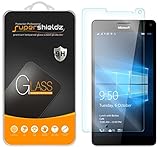
- Made from the high quality tempered-glass for maximum scratch protection and no residue when removed
- 2.5D rounded edge glass for comfort on the fingers and hand
- 9H hardness, 99.99% HD clarity, and maintains the original touch experience
- Hydrophobic and oleo-phobic coating to reduce sweat and reduce fingerprints
- Include 2 pcs tempered glass screen protectors
However, the update might not be available for download just yet as it depends on the carrier and region where the device is in operation.
Quick Recap
Shopping ad
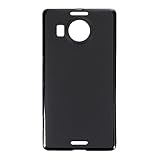
- Slim and Lightweight Design: Slim profile with durable TPU material provides everyday protection without adding bulk
- Shockproof and Scratch Resistant: Flexible TPU construction absorbs shocks and protects your device from drops, impacts, and scratches
- Precise Cutouts and Easy Access: Designed with accurate cutouts for effortless access to all ports, buttons, and cameras
- Screen Protector Friendly: Compatible with most screen protectors, featuring soft flexible edges that prevent lifting or bubbling
- Camera Lens Protection and Good Grip: Raised edges protect camera lenses from scratches while soft texture ensures a secure comfortable grip
Shopping ad

- 🎧【SAFETY】: Designed and tested Specifically Compatible with Microsoft Lumia 950 XL USB Type-C/PD/Power Delivery future port is recommended for safe operation while doing almost anything!
- 🎧【LIGHTWEIGHT】: Portable, Durable, take with you anywhere, use as backup, with Dual Stereo EarBuds, this takes up almost half as much space and does not tangle easily like other stereo headsets.
- ⚡【SAFETY CERTIFIED LISTED ADAPTER】: Intelligent circuit system can automatic recognize different USB Support devices maximize the charging efficiency, and defeat extreme working condition, like overcharging/over-currents/overheating. Also provide safer PC fireproof material for protecting Compatible with your your devices.
- ⚡【WIDE COMPATIBILITY - WORKS WITH 99% OF ALL ITEMS】: Supports quick transfer data 5Gbps technology and devices without driver installation. Supports all standard USB 4.0 to 1.0 powered devices, including Android, Mac, PCs, IOS and iPhone, especially works perfect for Fast Data Transfer Backup and multiple accessories.
- ⚡【Automatic Protection】: CE & FC Certified, strict testing, and automatically failsafe protection ensure complete safety for you and Compatible with your device for High efficiency Quick Charge 3.0 technology, Give you a high speed, but not overheating charging experience.
Shopping ad

- Military-Grade Protection - Engineered with premium shock-absorbing TPU material that meets military drop-test standards, providing reliable defense against accidental drops and daily impacts. The reinforced corners and raised bezels offer extra protection for your screen and camera.
- 360° Magnetic Ring Holder - Features a powerful magnet that securely attaches to car mounts and magnetic stands. The smooth-rotation mechanism allows perfect angle adjustment for hands-free viewing in both portrait and landscape modes.
- Mecha-Style Metal Finger Grip - The aircraft-grade aluminum alloy ring provides a secure grip and doubles as a sturdy kickstand. Its industrial-inspired design combines durability with a futuristic aesthetic that complements your device.
- Slim & Wireless - Ultra-thin profile adds minimal bulk while maintaining full functionality. Precision-cut openings ensure uninterrupted wireless charging and easy access to all ports, buttons, and features.
- Anti-Slip Textured Surface - Micro-dot textured back and grippy side edges prevent slips and improve one-handed usability. The fingerprint-resistant coating keeps your case looking clean while providing extra tactile security.
Product prices and availability are accurate as of the date/time indicated and are subject to change. Any price and availability information displayed on Amazon at the time of purchase will apply.

