What’s actually slowing this PC down?
Pick the symptom - the matching free tool is one click away.
Inferse is reader-supported. When you buy through links on our site, we may earn an affiliate commission. As an Amazon Associate I earn from qualifying purchases. Learn more
Keeping your Windows 10 computer safe from online threats doesn’t always require opening your wallet. Over the years, I’ve seen many excellent free antivirus software options that provide robust protection. Choosing the right one can feel overwhelming, so I’ve put together this guide based on my research and understanding of what makes a good antivirus. Let’s explore how to find the best free antivirus for your Windows 10 machine.
Understanding Your Needs: What to Look For
Before we dive into specific recommendations, it’s important to understand what a good antivirus should offer, even in its free version. Here’s what I always look for:
- Real-time Protection: This is crucial. The antivirus should actively monitor your system for suspicious activity and block threats before they can cause harm.
- Malware Detection: It needs to be effective at identifying and removing various types of malware, including viruses, worms, Trojans, ransomware, and spyware.
- Minimal Impact on System Performance: Nobody wants an antivirus that slows down their computer. The best free options are usually lightweight and don’t consume excessive system resources.
- Regular Updates: The threat landscape is constantly evolving, so the antivirus needs to receive frequent updates to its virus definitions to stay effective against the latest threats.
- User-Friendliness: The software should be easy to install, configure, and use, even for non-technical users.
Step-by-Step Guide to Choosing and Installing Your Free Antivirus
Here’s how to navigate the process of selecting and installing a reliable free antivirus for your Windows 10 computer:
Recommended Free Tools
Step 1: Research and Identify Top Contenders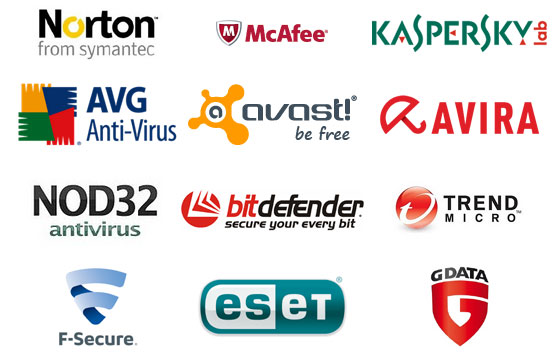
Based on my research across various tech publications, user reviews on platforms like Reddit and Quora, and independent testing results, a few names consistently stand out in the realm of best free antivirus for Windows 10. These often include:
Shopping ad
![Norton 360 Deluxe 2027 Antivirus, 3 Devices, Auto-Renews [Download]](https://m.media-amazon.com/images/I/41qw3FS3qLL._SL160_.jpg)
- ONGOING PROTECTION Download instantly & install protection for 3 PCs, Macs, iOS or Android devices in minutes!
- TOP-PERFORMING VPN Faster speeds, more server locations, and greater connection control to protect your privacy across all your devices, including Smart TVs.
- ADVANCED SCAM PROTECTION Help spot hidden scams online. With the built-in Genie AI assistant, you’ll never wonder if a message or email is suspicious again.
- REAL-TIME PROTECTION Advanced security protects against existing and emerging malware threats, including ransomware and viruses, and it won’t slow down your device performance.
- DARK WEB MONITORING Identity thieves can buy or sell your information on websites and forums. We search the dark web and notify you should your information be found.
- Microsoft Defender Antivirus: This comes built-in with Windows 10 and has significantly improved over the years. It often performs surprisingly well in independent tests and has the advantage of being seamlessly integrated with the operating system.
- Avast Free Antivirus: Avast is a well-known name in the cybersecurity world, and their free version offers a good level of protection and several useful features.
- AVG AntiVirus FREE: Similar to Avast (as they are now owned by the same company), AVG provides a solid free antivirus solution with a good reputation for malware detection.
- Bitdefender Antivirus Free Edition: Bitdefender consistently scores high in malware detection tests and offers a lightweight, no-frills free version.
- Kaspersky Security Cloud Free: Kaspersky’s free offering provides essential protection and some additional features, although it might have certain regional considerations for some users.
Step 2: Compare Features and Read Reviews
Once you have a few contenders, visit their official websites to compare the specific features offered in their free versions. Pay attention to:
- Core Protection: Does it offer real-time scanning, malware removal, and protection against various threats?
- Additional Features: Some free versions might include extra features like web protection, email scanning, or a basic firewall. Consider if these features are important to you.
- User Interface: Look at screenshots or videos to get a feel for the user interface. Is it clean, intuitive, and easy to navigate?
- Independent Test Results: Check reputable independent testing labs like AV-Comparatives and AV-TEST to see how each antivirus performs in terms of malware detection rates and impact on system performance. This is a crucial step to ensure you’re choosing a truly effective solution.
Reading user reviews on platforms like Reddit and Quora can also provide valuable insights into the real-world experiences of other users. Look for common themes, both positive and negative.
Shopping ad

- THREAT DETECTION – Stay one step ahead. Suspicious links, risky sites, viruses, and scams, caught automatically before they reach you.
- PERSONAL INFO PROTECTION – Keep your personal info safer. Identity monitoring watches for your exposed info and tells you what to do about it.
- SECURE CONNECTIONS – Just a few easy clicks, and we'll automatically protect your info on public Wi‑Fi, every time you connect.
- GUIDED ACTION – Know what matters and what to do next. Clear alerts and simple guidance make it easy to take action.
- MORE THAN ANTIVIRUS – Scam protection, identity monitoring, VPN, web protection, and antivirus work together to protect you, all in one place.
Step 3: Choose the Antivirus That Best Suits Your Needs
Based on your research and comparison, select the free antivirus software that you believe will best meet your needs and preferences. Consider factors like the level of protection offered, ease of use, and potential impact on your system’s performance.
Shopping ad
![Norton 360 Deluxe 2027 Antivirus, 5 Devices, Auto-Renews [Download]](https://m.media-amazon.com/images/I/41IYV5zGyCL._SL160_.jpg)
- ONGOING PROTECTION Download instantly & install protection for 5 PCs, Macs, iOS or Android devices in minutes!
- TOP-PERFORMING VPN Faster speeds, more server locations, and greater connection control to protect your privacy across all your devices, including Smart TVs.
- ADVANCED SCAM PROTECTION Help spot hidden scams online. With the built-in Genie AI assistant, you’ll never wonder if a message or email is suspicious again.
- REAL-TIME PROTECTION Advanced security protects against existing and emerging malware threats, including ransomware and viruses, and it won’t slow down your device performance.
- DARK WEB MONITORING Identity thieves can buy or sell your information on websites and forums. We search the dark web and notify you should your information be found.
Personally, I’ve found Microsoft Defender to be a surprisingly capable option for many users. Its integration with Windows 10 is seamless, and it generally performs well without being too intrusive. However, for users seeking additional features or who want to explore other options, Avast, AVG, Bitdefender, and Kaspersky’s free versions are all strong contenders.
Step 4: Download the Antivirus Software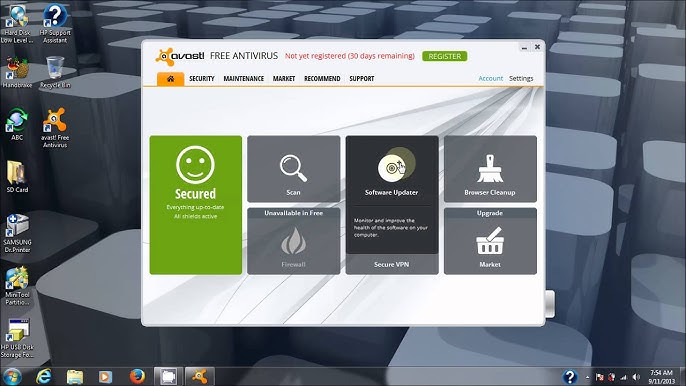
Once you’ve made your decision, go to the official website of the chosen antivirus provider. Always download the software directly from the official source to avoid the risk of downloading malware disguised as legitimate antivirus software. Look for a clear “Download Free” or similar button.
Shopping ad

- THREAT DETECTION – Stay one step ahead. Suspicious links, risky sites, viruses, and scams, caught automatically before they reach you.
- PERSONAL INFO PROTECTION – Keep your personal info safer. Identity monitoring watches for your exposed info and tells you what to do about it.
- SECURE CONNECTIONS – Just a few easy clicks, and we'll automatically protect your info on public Wi‑Fi, every time you connect.
- GUIDED ACTION – Know what matters and what to do next. Clear alerts and simple guidance make it easy to take action.
- MORE THAN ANTIVIRUS – Scam protection, identity monitoring, VPN, web protection, and antivirus work together to protect you, all in one place.
Step 5: Install the Antivirus Software
After the download is complete, locate the downloaded file (usually in your “Downloads” folder) and double-click it to start the installation process. Follow the on-screen instructions carefully.
PC Slower Than It Used to Be?
A free scan shows the junk files, broken settings and background clutter dragging Windows down - then fixes them in one click.Free scan · Windows 10 & 11Crashes, No Sound, or Screen Glitches?
Random freezes, missing sound and display glitches usually trace back to one bad driver. Find and replace yours safely.Free scan · under a minute- Read the License Agreement: Make sure to read and understand the license agreement before proceeding.
- Choose Installation Options: Some installers might offer different installation options. In most cases, the default settings are sufficient for basic protection. Be cautious of bundled software or offers to install additional programs that you don’t need.
- Allow Necessary Permissions: The antivirus software will likely ask for certain permissions to access and monitor your system. Grant these permissions to ensure proper functionality.
Step 6: Run an Initial Scan
Once the installation is complete, the antivirus software will usually prompt you to run an initial scan of your system. This is a crucial step to identify and remove any existing malware that might be present on your computer. Allow the scan to complete fully.
Shopping ad
![Malwarebytes Standard, Premium Security| Amazon Exclusive | 18 Months, 2 Devices | Windows, Mac OS, Android, Apple iOS, Chrome [Online Code]](https://m.media-amazon.com/images/I/41LbYnawq9L._SL160_.jpg)
- AWARD WINNING Antivirus, anti-malware, anti-spyware & more
- 24/7 REAL TIME PROTECTION against emerging malware threats, including ransomware and viruses- without slowing you down.
- PROTECTS YOUR DEVICES ON MULTIPLE PLATFORMS: Get cyber protection for your computers, smartphones, or tablets- Compatible with Windows, Mac, Android, iOS
- DOWNLOAD AND INSTALL INSTANTLY
- UNMATCHED THREAT DETECTION: We found malware on 40 percent of devices that already had a third-party antivirus installed.
Step 7: Configure Settings (Optional but Recommended)
After the initial scan, take some time to explore the settings of your new antivirus software. You might want to customize certain options, such as:
- Real-time Protection Settings: Ensure real-time protection is enabled and configured to your desired level of sensitivity.
- Update Schedule: Most antivirus programs automatically update their virus definitions. Make sure this feature is enabled and set to a frequency that keeps your protection up-to-date.
- Notifications: Adjust the notification settings to your preference. You might want to receive alerts for detected threats but avoid excessive pop-ups.
- Exclusions: In some cases, you might need to exclude certain files or folders from scanning if they are being falsely flagged as threats. Use this feature with caution.
Step 8: Keep Your Antivirus Update
This is an ongoing process. Ensure that your antivirus software is always up-to-date with the latest virus definitions. Most reputable antivirus programs will handle this automatically in the background. However, it’s a good practice to periodically check for updates manually to ensure you have the latest protection against emerging threats.
Do these 3 things before closing this tab:
1Fix the driver behind crashes, sound loss and screen glitches2Repair Windows errors before they cause bigger problems3Scan for outdated or missing drivers - takes under a minuteStaying Safe Beyond Antivirus
While a good free antivirus is a crucial first line of defense, remember that it’s just one part of a comprehensive security strategy. Here are some additional tips to stay safe online:
- Keep Your Operating System and Other Software Updated: Software updates often include security patches that address known vulnerabilities.
- Be Cautious of Suspicious Links and Attachments: Avoid clicking on links or opening attachments from unknown or untrusted sources.
- Use Strong and Unique Passwords: Protect your online accounts with strong, unique passwords and consider using a password manager.
- Enable a Firewall: Windows 10 has a built-in firewall, make sure it’s enabled. Some antivirus programs might also include their own firewall.
- Practice Safe Browse Habits: Be mindful of the websites you visit and avoid downloading software from untrusted sources.
- Consider Using a VPN: A Virtual Private Network (VPN) can help protect your online privacy and security, especially when using public Wi-Fi.
My Final Thoughts
Choosing the best free antivirus for Windows 10 ultimately depends on your individual needs and preferences. Microsoft Defender provides a solid baseline level of protection and is incredibly convenient. However, exploring other reputable free options like Avast, AVG, Bitdefender, and Kaspersky can offer additional features or a different user experience. The key is to do your research, understand the features offered, and choose a reputable provider. Remember that even the best antivirus software is not a foolproof solution, and practicing safe online habits is just as important for staying protected in the digital world. Stay vigilant, stay informed, and stay safe!
Quick Recap
Product prices and availability are accurate as of the date/time indicated and are subject to change. Any price and availability information displayed on Amazon at the time of purchase will apply.
Independent reader supportYour contribution helps us test, update, and keep practical guides available for everyone.